Showing posts with label video. Show all posts

Monday, 22 June 2026

Nik Nak’s Daily Teaser — 22-6-2026 — Charon

22nd July, 2026: Charon.


Right then … it’s another Monday.

Which means it’s another day at the proverbial races: I’m off to my regular weight management meeting, to see how I’ve done.

Hopefully, I’ll’ve lost some.

And will probably announce the results on the various social media … unless my weight’s gone up … 

~≈🏋️‍♂️≈~

Monday is also the day before Tuesday.

You knew that, along with everyone else.

For me, personally?

It means it’s the day before payday.

I’m looking forward to that: I want to get a haircut, at some point.

In this heat?

That’s sensible: at least it is, to me!

~≈💇‍♂️≈~

Friday, 22 July 2022

Nik Nak’s Daily Teaser — 22-7-2022 —Pi Approximation Day

22nd July, 2022.


It’s Friday: a day that looks like it’s going to rain.

I hope it does: we could do with it!

Saying that … ?

I’m very aware that the BBC’s weather service has been saying it’s going to rain since Tuesday!

Heigh … ho!

~≈💧≈~

OK … 


I’ve made another of my slightly off-beat unboxing videos.

The backpack … ?   Is now officially unpacked and hanging off my front door: ready to go at a moment’s notice.

The phone … ?   Is still in its box: I need an extra power block, I think.

And will have to read the instruction manual: the thing can block numbers, which will come in handy, block scam calls.

I’ve ALSO managed to get hold of the Classic Dr Who’s season 22 box set.

I was hoping Katy Manning would be in the Behind the Sofa watch-alongs: she’s usually fun to watch!

But apparently not.   It’s Wendy Padbury, Janet Fielding and Sarah Sutton (Zoe, Tegan and Nyssa), this time.

Which should be equally as good: the last time I saw the three of them, it was handbags at twenty paces … and utterly hysterical … !

~≈Â≈~

JUST as a last thought … ?

I mentioned the phone, there: ordered in part, because it can block numbers.

But it also marks the fact I’ve got a new landline and internet contract with BT.

I’ve managed to get onto their Home Essentials package, aimed at those of us on Universal Credit.

It’s pretty much the same deal I’m on: with extra free minutes.

And half the price I was paying.

That should help the money situation.

~≈☏≈~

Tuesday, 30 October 2012

The Daily Teaser — 30-10-2012

Hmmm … 

You know, I have to admit, that’s an annoyance.

Seemingly, YouTube’s having trouble uploading today’s Teaser video, via Safari.

I MAY just have to cheat … !

Or upload today’s video straight onto here.

Either way, let’s get moving on, shall we … ?

Yes, let’s … 

‹‹·››

Yesterday’s Teaser was a quiet one: unsurprisingly, I think, as Debbi and her partner are in the path of Hurricane Sandy.

So …

Let’s see if we can someone to have a go at today’s questions, shall we?

Here they are, along with the ‘How To’, License and video … 


AhHA!

Youtube’s Corrected itself … !

Q1) 30th October saw Orson Welles broadcast his famous version of H. G. Wells’ ‘War Of The Worlds’.   In which year of the 1930s?
Q2) More to the point, from which US city was this play broadcast … ?
Q3) Even MORE to the point: how old was Welles when he produced the play … ?
Q4) Moving on … 30th October, 1957, saw Britain’s House Of Lords admit whom, for the first time … ?
Q5) 30th October, 1905, saw the Tsar of Russia grant his nation its first Constitution.   Which Tsar was this … ?
Q6) 30th October, 1961, saw the Soviet government move whose body … ?
Q7) And finally … 30th October, 1942, saw the crew of the HMS Petard recover code books from a German submarine.   Which German code did the book help crack … ?
And here’s yesterday’s …
Q1) 29th October, 1929, saw the start of the Wall Street what … ?   A1) Crash.
Q2) More to the point, this was triggered by the collapse of what … ?   A2) The New York Stock Exchange.
Q3) The day is also known to historians as what: Fat Tuesday, Black Tuesday or Pants Wednesday … ?   A3) Black Tuesday.
Q4) Moving on … 29th October, 1967, saw the murder of minor crook, Jack ‘The Hat’ McVitie: this lead to the eventual downfall of which London gangsters … ?   A4) The Krays.
Q5) 29th October, 1969, saw the first computer communications over the ARPANET: what has the ARPANET become … ?   A5) The Internet.
Q6) 29th October, 1960, saw the ‘Louisville Lip’ when his first professional fight.   Who is the ‘Louisville Lip’ … ?   A6) Cassius Clay: also known as Muhammad Ali.
Q7) And finally … 29th October, 539 BC saw Cyrus the Great enter which city … ?   A7) Babylon.
Enjoy those, everyone.

As a way of honouring the late Jam Master Jay, I’ll leave you with this video … 


And this line from Richard Brinsley Sheridan … 
“The right honorable gentlemen is indebted to his memory for his jests, and to his imagination for his facts.”Richard Brinsley Sheridan, 30 October 1751 – 7 July 1816

Wednesday, 22 February 2012

vlc: Now At Version TWO ... !

Oooh …

He says, in a vaguely excited tone of voice.

I've got to confess, I could certainly get used to walking up Warley Hill.

Which isn't why I'm posting from Brentwood Library.

(No, tell a lie: I needed a change of scenery, and the exercise, but that's beside the point.)

No, I actually meant to let people know that everybodies favourite open-source media player, vlc, has now been officially updated to version two.

Avaiable in Mac OSX, Windoze and Ubuntu flavours, you can ALSO get copies for the iPhone: and the developers are now working on an unreleased version for Android phones.

Go get, folks: and feel free to donate, if you can.

Projects like vlc need our cash to keep going.


Friday, 2 December 2011

Format-shifting: now I’ve done it, where do I put it?

You know, I’ve got to confess, I’ve had something of a thought, the other day.

You’ve probably realised I’ve written the odd bit about technology, haven’t you?

Over the years, that is.

And, granted, I’m not Gizmodo, but I have tried to offer what I’ve learnt to help others do things I’ve found useful.

Whether those posts ARE helpful or not is a whole other matter, of course.

At any rate, there was something that occurred to me whilst I was writing two pieces on format-shifting. I’d told people — as best as I could — about what format-shifting was, and how to do it: it’s digital video conversion, so you know, so you can play a given file on different devices.

And it ALL came to a head when I was writing up a piece about Frank Herbert’s Dune.

I’d had all of that lot floating around my head, when it occurred to me.

I’ve just told people HOW to turn one type of video into ANOTHER type of video. And what software I happened to prefer doing this with.

But HADN’T told people EXACTLY where to put all these treasures, once they’d been doing their me-inspired jiggery pokery, had I … ?

No, I hadn’t.

And while I was writing up that Dune post, got to thinking I should make an attempt to remedy that.

Let’s get moving on, then, shall we … ?

Yes … LET’S!

»»·««

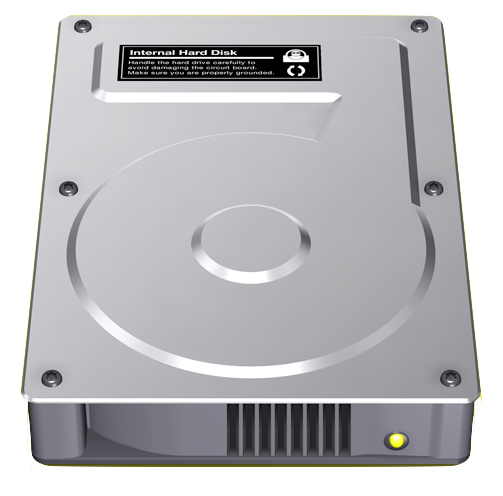
You see, if you, like me, have a bad habit of backing up your DVDs left right and centre, you’re — ultimately — going to be left with something of a question.

One that we’ve ALL been known to ask as our hard drives slowly fill up.

“All those DVD’s I’ve backed-up? And my iTunes library? Where on EARTH do I put them … ?”

Well, there’s an answer to that.

It helps if you know SOMETHING about — at least, in the very BASIC details — the rough workings of a home computer*.

Whether a desktop or laptop, it’ll have a central processorº that does all the work; it’ll have memory — RAM, as it’s called — that act’s as short-term memory; and a hard-drive, that’s the long-term storage.

There’s usually also connections for a mouse and keyboard, so we can tell our computers what to do. And a connection to a monitor. So we know when to swear at our computers when it DOESN’T do what we thought we just told it to do.

And for our purposes …?

It’s useful to think of the RAM as our desktop, where we put the things we’re using, right this minute.

And the hard=drive as the attic, where we keeping the things we either don’t need right now; or the files that application we ARE using only needs every-so-oftenª.

Now …

You can just tell I’m going to mention building a metaphorical extension to your house, can’t you?

»»·««

Well …

Sort of …

I’m actually going to suggest a garden shed, if you’ll excuse me extending a metaphor, by telling you to get hold of an external hard-drive.

You see, computer peripherals like hard-drives come in a few different flavours, depending on what you want to use them for, and how confident you feel about changing them.

Now, on my first modern Mac — a G4 tower — many of the internal components† were comparatively easy to replace; if you felt fairly confident: or knew someone who’d happily walk you through it.

On the OTHER hand, with Bruce, my ageing Mac Mini, the job’s a touch trickier to do: and involves a LOT of mechanical disembowelling I’m really not comfortable about doing.

Thankfully, if you’re ever in need the kind of we all find we need, you need …


»»·««

Now, you’re probably thinking “An external hard drive … ?”

And wondering what the hell it is^.

Well, an external hard-drive is pretty much like the one you’ve already got built into your computer.

But where your internal drive is one of the basic parts of your computer, an external one literally is like the garden shed.

It’s storage, mostly for things you don’t need everyday: just to give you an example, I use my external drive for storing all my movies.

Where it get’s complicated, though, is whether you’ve attached your drive to your network or directly to your computer.

Obviously, there’s what’s called the Network Attached Drive.

Now I’ll happily admit that the Network Attached Drive is something I’m not familiar with.

But the basic idea — if I’ve understood it correctly — is fairly simple.

Most of us, these days, have both internet access: AND a router that allows us to connect to it.

AND multiple machines that connect to the router: not just computers, either, these days, we’re talking about everything form games consoles to fridge-freezers to TVs.

And, although I can’t swear to how complicated a job it is, the Network Attached Drive hooks up to our routers, so it’s accessible to all machines on our network. (WHY you’d want to watch a film on your fridge-freezer is a mystery to me. But feel free to let me know if Godzilla works well with the roast beef and frozen broccoli.)

Granted, we’d PROBABLY have to do extra fiddling to make it accessible to EVERYTHING on our network: but the heart of it is that simple.

»»·««

The easier way of building that shed is to get what’s called a Directly Attached Drive.

Which, for those of us who aren’t so technical, are a LOT easier to deal with!

Basically, most Directly Attached Drives are literally that.

They’re a form of external hard-drive much like a sort of giant flash-drive, and plug straight into our machines: show up much like those same flash-drive.

And as easy to use, I should stress.

Most of the time, one simply uses drag and drop take files from one folder — the file you want to copy — and drag it to where you want to put it.

It’s that simple.

What’s a pain … ?

Are all the different types of connections‡.

But, if you’re looking for simplicity, you normally can’t go far wrong with just a good old fashioned USB connection.

From my own experience USB’s very good at connecting a computer peripheral to a computer: mouse, keyboard, external drive, what have you. Where it loses, though, is if you daisy-chained USB devices, or plug them all through through a USB hub.

Personally, though, I tend to prefer using a FireWire connection, where possible: when it comes down to copying files, I’ve noticed that FireWire˜ tends to be a touch faster than the equivalent USB.

FireWire connected devices also seem happier about being daisy-chained. I know that — as I write — I’ve got Bruce hooked up to an exterior hard-drive through the onboard FireWire 400port, and the exterior hard drive to an external DVD burner drive: I’ve got to admit burning anything stored on the external hard-drive to the optical drive is pretty zippy.

»»·««

Now, there’s one more thing: storage isn’t the only use for an external hard-drive.

If you’re feeling adventurous, something you can do is partition your shiny new external drive.

Now, I’ve got to admit, I’ve got thing’s relatively easy on that front.

Ever since I’ve had a Mac, Mac OS X has come with a handy little app called Disk Utility: which, amongst other things, can partition a drive.

But those of us on Windows will have to do a bit of asking around on that front, to find the equivalent Windows software.

At any rate, once we’ve got that extra partition, is where we can get adventurous.

Like many of our Linux using brethren, we can — again, if we’re feeling adventurous — turn one of the partitions on our external drives into what’s called a bootable drive: and install an extra operating system onto it.

Something I know I’ve thought about trying, but haven’t had the resources to, for a while

If, on the other hand, we’re feeling cautious?

We can do something else.

We can make use of a back-up application: I personally favour the Mac’s on-board back-up utility, Time Machine.

And I’m assured — by a friend or two in the serious know — that Crash Plan is the version they’d recommended to Windows and Linux users: it’s very user friendly, the basic version is free, and that basic version allows you to back-up your computer …

To the very same partitioned external drive we’ve been talking about.

»»·««

Now, I don’t know if you’ve heard it, but there’s an old phrase I’ve come across.

You can never have too much shelf space’.

It’s true, isn’t it?

We ALWAY’S seem to be running out, aren’t we?

Well, in today’s digital age, internal and external hard drives are the digital equivalent of exactly that.

Shelf space.

And I’m thinking the old phrase is true.

Whatever form it takes. You can NEVER have too much: whether it’s on the wall …

Or in the shed!


* I’ve personally always preferred the term home computer to PC, or personal computer. You’ve probably worked out I’m a Mac fan, haven’t you … ? To me, the terms PC and personal computer very specifically refer to a PC: a home computer, in other words, that’s made in a particular way, and (usually) running a version of Microsoft Windows. The nearest I can compare it too? Is calling an Xbox 360 a Nintendo Wii. They’re both video games consoles: but very distinct ones, with — at least historically — very different features.

º There’s also a logic-board/motherboard, that the RAM, processor and hard-drive — along with all the other components — are connected to.

ª Metaphor … ? Metaphor what … ?

Things like RAM, hard-drives and and upgraded graphics cards.

^ Much like the rest of the technical posts, here, I’m trying to explain fairly subjects that have some fairly technical aspects, from what’s a VERY limited layman’s understanding of the subject. I’m hoping one of my more technically gifted readers will be able to make a better job of clearing up my mess!

SCSI, ATA, s-ATA, e-ATA, p-ATA, SAS, USB, FC-AL, KGB, RAC, AA, MiniPax, MiniTru, MiniLuv, MiniPlenty, EtAl …

˜ Generally speaking, USB1 and 1.1 are a lot slower than USB2, which in turn, is slower than USB3: likewise, FireWire 200 is slower than FireWire 400, which is slower than FireWire 800.


Friday, 11 November 2011

Format Shifting: An Second Thought …

You know, THAT’S sort of what I forgot to mention … !

You’ve PROBABLY already noticed I’ve put up a post about format shifting.

You didn’t … ?

You have now … !

But, at any rate, I also happened to mention three different bits of basic media software I use, when I need to convert and/or convert and edit, video files.
  • Quicktime X, the version of Quicktime that shipped with Snow Leopard.
  • VLC, the free and open source multimedia player.
  • And MPEG Streamclip the free video editor and converter.
  • But forgot to give much detail on HOW to convert video, as and when needed.

    Hopefully, I’ll remedy that, with this post.

    ‹‹•››

    Now, as you’ve possible worked out, over the years, I’m a Mac user.

    And the version of QuickTime included with my version of OS X — QuickTime X — makes it relatively easy to trim and convert movies.

    All we do is is open a given movie, press ⌘ and ‘T’ to launch the Trim function, jiggle around with the handlebars until the the clip we want is the required size, and then press the Trim button.

    ‹‹•››

    The trouble with THAT, of course … ?

    Is that many times, we either don’t have access to a Mac, or just don’t need to trim the clip in question.

    If it’s the case that we just need to do a straight piece of conversion?

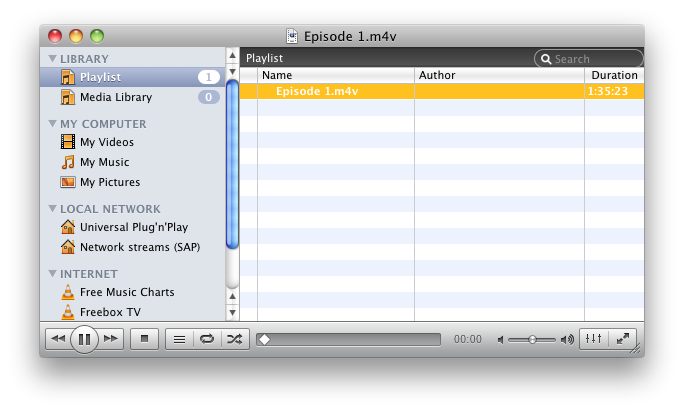
    One option, is the venerable freeware media player, VLC.

    VLC is possibly one of the best known and versatile media player’s around: not only does it play any thing you care to throw at it, it does screen grabs of whatever you happen to be watching, you don’t need to download any extra codec packages.

    And what’s more, even if you don’t like it, and prefer to use whatever media player that ships with your operating system?

    Keeping VLC comes in handy, as it lets you convert video files between formats.

    All that you need to do, is open VLC’s streaming/exporting wizard, pick the file you want to convert, and tell VLC how and where you want the results put.

    ‹‹•››

    Trouble is, of course, VLC and QuickTime X are fine for just conversion and basic trimming.

    But if you need to do something MORE than that … ?

    My usual choice is MPEG Streamclip, which is equally — I think — to use as an editing tool.

    It comes in really handy as, once you’ve open a movie that you want to edit, you simply press I at the star of the clip you want, then O at the end, cut or copy as needed.

    The handy bit … ?

    Is that, along the way, not only can we specify the file format used for the new video file — as with VLC and QuickTime X — but also the codecs … AND the size of the file.

    Handy that … !

    Wednesday, 9 November 2011

    Format Shifting: A Thought Or two …

    Hmmm …

    He says, thoughtfully …

    You know, I’ve GOT to admit video is a bit of a git, isn’t it?

    At least, in this modern age of multimedia devices capable of playing all SORTS of things, video’s a bit of a git … !

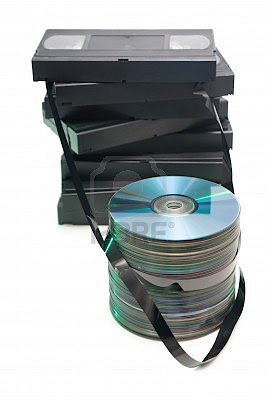
    Honestly, there’s times — just times, mind — when I really do wish I was back in the good old days of VHS.

    I do.

    Video weren’t quite so all-over-the-place

    »»•««

    Hmmm …

    OK, you’re probably wondering what the HELL I’m going on about, aren’t you … ?

    But to be frank … ?

    I’ve been happily nattering to both Kevin D and Grub, over the past few weeks an, inevitably, we’ve all talked — at some point — about the various changes in video technology and the media that films and TV series are on.

    Let’s face it, over the course of our life times, we’ve seen the introduction of technology undreamt of at when we were born.

    I mean, being able to record something, so that we could watch it later? First on VHS — or Betamax — then on DVD, BluRay/HD-DVD, a set-top boxe with a built in hard drive or DVD recorder.

    Or TV set that lets you record and playback from a USB memory stick or external hard drive …

    Options, decisions and format wars, eh? And that’s BEFORE we start getting into things like IPTV and Internet TV, and renting from iTunes, NetFlix and YouTube!

    At any rate … ?

    At any rate, with ONE thing and another, I think I can SAFELY say that video is …

    Bloody tricky, given the amount of stuff that you, me, Grub and Kevin D are watching them on.

    »»•««

    Lets face it, VHS changed the shape of television, didn’t it … ?

    It — in part — contributed to the situation we’re now in: where we don’t just record a film or TV show to watch later.

    We can get it ALL sorts of ways, if that doesn’t sound ambiguous.

    Those of us blessed with the money to afford a more recent model of TV may well have one that’s capable of hooking up to the net, and to streaming services like Netflix, LoveFilm and YouTube.

    Those of us with an older television that can’t access the ’Net: or who own something like an AppleTV … ?

    Will have trouble with that option.

    On the other hand … ?

    On the hand, you — like me — have probably made use of something HandBrake, or one of it’s Blu-ray ripping cousins, to back up your DVD collections — or, heaven forbid, got a film from somewhere like Demonoid or Pirate Bay — and several different devices you’d like to watch those video files on.

    Now, I’ve got to confess, I don’t have an iPod, any more: and when I did, it wasn’t one of the models capable of playing video files.

    Mind you, if I did?

    I’d have to make sure any video files I wanted to play on them were in .mov or .mp4 format, with the audio and video components encoded with the AAC and MP4 codecs: pretty much anything that iTunes can open.

    Which is quite a lot, I’ve noticed, but there’s exceptions.

    Mostly in the shape of anything that comes in the .avi file format, with whatever codecs happen to have been used in making the file: a container format that — using MP3 as the audio codec and DivX 5.0 as the video one — is the one demanded by my DVD player.

    Hmmm …

    I’m right, aren’t I … ? I’ve just confused the LIFE out of you, haven’t … ?

    Explaining what I’m on about would probable help, wouldn’t it … ?

    To use an old bit of technology as a metaphor, my Mac, and most iPod’s, are today’s equivalent of a VHS video cassette recorder. My DVD player, on the other hand, as well as being a DVD player and recorder, has a USB port on it, that can ‘read’ USB flash memory sticks — and exterior hard-drives — with video files on them.

    But to follow the metaphor through, it can only read files that are .avi: the digital equivalent of Betamax, if you will.

    Which isn’t the most accurate metaphor, but it’s the nearest I could think of … !

    Actually … ?

    That’s a handy way of explaining something else, while I’m at it.

    You’ve probably noticed me mentioning codecs and containers files, there, haven’t you … ?

    Basically … ?

    Basically, any given video file you’ve got on your computer is a lot like the already mentioned different types of video cassette.

    Well, then, practically all of the video files I have will come in one of the container files I’ve already mentioned: .mov, .m4v and .avi, as well as .VOB*. They’re are also known — for obvious reasons — as wrapper files.

    And they’re a bit like the digital equivalent of the video cassette BOX: the plastic thing that holds the tape. Metaphorically, and on each type of wrapper file/video-cassette-format: the box is length⊗breadth⊗width, the reels are so far apart, the tape that the film’s on is so wide, what have you.

    CODECS, on the other hand … ?

    Codecs are a bit different.

    Codecsº — to carry one the video cassette metaphor — are a bit like the digital versions of the contents of the tape.

    The video and audio tracks physically recorded onto the emulsion of the tape, itself.

    And there’s tons of different ones.

    Lordy, aren’t there ever … !

    But boiling it down to as simple as I possibly can … ?

    It doesn’t necessarily matter what the video and/or audio codecs are, in a given video file: if your computer can’t play them … ? Well, my normal suggestion would be to buy one that can°.

    Or to make sure sure that you’ve got all of the relevant plug-ins and extensions that let your particular operating system play a particular video.

    Or type of video codec, in this case!

    There’s OTHER options, too …

    Oh, my WORD, yes …

    But you sort of take my point, don’t you? That, when it comes down to video files, you are going to HAVE to face doing something that is a lot easier — in some ways — than it was many years ago.

    I’m talking about video conversion.

    NOW you’re worried, aren’t you … ?

    »»•««

    Saying that, I’m not actually talking something as arcane as the transferring home movies on VHS to DVD‡. If that’s something you need to do you’ve probably either taken the tapes to the nearest specialist to where you live to do that. (There’s an old fashioned camera shop near me that provides the service.)

    Besides: there’s actually a couple of arguments AGAINST doing that. For starters, with commercial video cassettes, it’s probably easier — and not an arrestable offence — to replace VHS versions with the DVD/Blu Ray version. And as a second point, these days, if you’ve home made stuff on video cassette that you’d like to preserve, you’ve probably already done it already: either by hooking up a VCR to a DVD recorder or getting hold of some of the various bits of video capture packages on the market.

    Actually, what I’m talking about … ?

    Is the simple ability to change one form of video file to another.

    Although, obviously, the methods I use aren’t necessarily going to be useable by everyone.

    The first option … ?

    Is relatively simple for those of us using QuickTime X on Mac OS X 10•6•x or above, or QuickTime Pro on the relevant versions of Mac OS X or Windows: I personally use QuickTime X, as that’s the version that ships with my version of OS X, so can’t swear that this will work on QuickTime Pro.

    But with QuickTime X, all I need — indeed, can do — is save a given type of file as a .mov, along with some very basic trimming.

    Saying that … ? I also have access to iMovie: the older version I use — iMovie ’08 — does allow for a lot more control over trimming of clips, and variation in output formats than QuickTime X.

    It DOESN’T do everything: at least, as far as I can tell. But I’ve not explored as much of it as one could. After all, I only really use it to add sound to the Teasers, remember.

    However, for straight conversion … ?

    There’s another piece of software I go for.

    For straight conversion I tend to find the powerful vlc player surprisingly useful. Usually I tend to use it for its ability to do screen grabs of whatever TV shows or films I happen to be watching or writing about.

    However, one of it’s other handy features — and going through the documentation, there’s a lot more than I suspected, or usually need^ — is the ability to turn a given video file into something else. Hitting Shift(⇧), CMD (⌘) and W† — or File>Steaming/Exporting Wizard — will take you to vlc’s streaming wizard: there’ll be a Windows equivalent, as well, by the way, which I’m guessing will be CTRL (^), Shift(⇧) and W.

    Once there, all you need to do is pick the file you wish to convert: either from a stream, or a pre-existing movie in your collection.

    In the next two steps you pick the codecs you need, and the file format.

    And wait for vlc to do its thing.

    »»•««

    There’s another option, as well.

    You see, I tend have a bad habit of taping stuff that’s on television.

    And, like a lot of people, tend to keep it, until I’ve either watched it.

    Or I can replace the recorded version with a legitimate copy: film, series, what-have-you.

    So for when I want to keep hold of a film — for example, and subject to what I’ve just said about replacing it with a legitimate version — that I’ve taped from a TV broadcast, I tend to prefer using another cross-platform application, MPEG Streamclip™, from Squared5.

    Now, I’ll HAPPILY admit that I love adverts.

    Really.

    But I’d rather not have to fast-forward through them, when I’m watching something.

    And I’ll happily admit to finding MPEG Streamclip very handy, in that regard.

    Unlike QuickTime X, MPEG Streamclip can edit out bits from anywhere in a given video. And, while it’s not especially fast when saving the results, it is — unlike Quicktime — capable of both resizing and re-encoding a given video file: VERY important, if you have to change something, to play the file on a specific machine.

    »»•««

    Now …

    That leaves us with a few of questions, doesn’t it … ?

    Probably quite a few, now I think of it.

    But the main ones … ?

    Well, obviously, from where I’m sitting, the main one is, has that lot been helpful, or not … ?

    I always tend to worry about these things, and frankly … ? I’d appreciate some feedback, here: either about these apps, or ones you use, yourself.

    The other main one … ?

    Is why convert video … ?

    God, there’s TONS of reasons.

    Frankly … ?

    The main ones are ones I think I highlighted, at the start of this post: various different manufacturers have made their various bits of kit capable of only playing certain forms of file format, for whatever reason.

    I can’t complain, there, I think.

    I think we, as consumers of these things, have a choice: in how we choose to view a given form of entertainment. What’s more, in this digital age, we’re also becoming (minor) video producers ourselves: home made video heroes in the traditions of the “I Can Do That” ethos of the Punk years.

    We’re the Digital Age’s equivalent of car drivers.

    We owe ourselves, this: how to use our equipment.

    If nothing else … ?

    We have HAVE to know whether we’re using the digital video equivalent of petrol or diesel.

    And where to stick the dipstick …


    * Which — just so you know — is the file format used on DVDs: again, it’s a container file.

    º Much like the word ‘modem’ª, the word ‘codec’ is a portmanteau: a contraction in other words. In this case, it’s a contraction of ‘encoder/decoder’.

    ª Which is a contraction of ‘modulator/demodulator’.

    ° OK, OK, you caught me …

    ^ Quite a LOT, actually! VLC — the client version you and I use — plays a HUGE rang of different video and audio files, has plug-in’s allowing it to interact with both Firefox and Chromium and seemingly is capable of broadcast a given video file — or CD/DVD — across to other machines on your network. I’ve a funny feeling it may well sing, dance and clean the sink as needed.

    I really couldn’t swear to what the equivalent combination of keys is, under the version of Windows you use: however, many — but not all — will substitute ctrl for the command key.

    Actually, that’s easy enough to do, if you have an old video cassette player that you can hook up to a DVD recorder: it’s just a matter of time, mostly.

    I’ve outline a few helpful hint about VLC, MPEG Streamclip and QuickTime X, here.

    Friday, 4 March 2011

    Blogspot and Copyright

    Hmmm …

    That’s … a bother …

    Actually, that’s a serious bother for about 60, 000 people: my fellow bloggers in Turkey.

    I’ve just seen a news article on the BBC News pages.

    It seems that the Turkish pages of Blogger — the site I use for Nik Nak’s Old Peculiar — is involved in something of a row with one of the country’s broadcasters, Digiturk, over football.

    As a result … ?

    Blogger has been taken down, temporarily.

    Which is a bit of an over-reaction, from where I’m sitting … !

    From what I can gather, various Blogger uses in Turkey have done something similar to what I do with various movies and TV shows.

    They’ll quite happily post clips — via YouTube and other services — and add them to their posts, about a given game.

    Now, I’ll be the first to admit that this is iffy legal ground, to say the least.

    Which is why — over the years — I’ve arrived at my way of handling things.

    Whenever I post a clip to YouTube, I always make the point of doing this:
    Acknowledging the copyright holders: either in the attached comments or or by inserting a copyright notice on the clip*.
    Writing words to the effect of “No violation is intended, as the clip is used for illustrative purpose, only” in the Comments section for the clip.
    And, lastly, taking down the clip, if requested.
    Now, it’s not perfect, I know.

    But I don’t think I’ve had too many complaints.

    Companies that do object, usually ask YouTube to disable embedding on the offending clips.

    Which is …

    Well …

    A bit of a bummer, from where I’m sitting, as it’d be nice to have some of them, here.

    But those clips are their property, after all.

    »»•««

    At any rate, the point I’m trying to make … ?

    Is that I think I and other Bloggers have a right to good old fashioned Freedom of Speech.

    Now, granted, that comes with a few basic responsibilities.

    Being polite. Being discreet. Making sure we do no harm.

    Acknowledging copyright ownership is in there, somewhere, as is giving credit where credit is due.

    It’s a trade off.

    Granted, I have to — indeed, should — acknowledge intellectual ownership, as and where necessary.

    I want to make sure I can show you a relevant clip, photo or quote to make a point.

    That’s polite, if nothing else.

    »»•««

    Now that’s my end of things.

    My end of things, you notice … ?

    I also believe that copyright holders have an obligation, here.

    If that’s the right word, here … ? Debbi … ?

    Hmm maybe obligation is the wrong word.

    Obviously, I can understand copyright holders have a right to be protective of their property.

    I don’t blame them, especially given the existence of sites like Pirate Bay.

    However …

    I also believe that, along with protecting their property, copyright holders have an obligation to check things. To make sure that — before they get snotty — of how a given clip is being used.

    If a copyright holder has a complaint about my use of a given clip or song, I’d hope they’d at least look at what I’ve done with them, in order to satisfy themselves I’m not — frankly — extracting the proverbial Mickey.

    But I also hope that any response a holder may have to my use of their property are proportionate to any violation I may have committed.

    This situation, where the whole Turkish end of Blogger has been taken down … ?

    I’ve said this before and I’ll say it again.

    I believe it to be an over-reaction.


    * One piece of video editing software I find hand is MPEG Streamclip, by Squared5, allows one to insert brief messages into a clip: very handy for this sort of thing. I can also use iMovie to insert a Keynote slide at the end of a .mov presentation.