You know, I’ve got to admit, for some years I’ve had a running gag that us Mac heads should have a funny handshake and an apron …
I got talking to a few customers, today, who, like me, have Mac’s and I’m surprised how many don’t use Exposé.
It’s a simple app that can be set up through your Mac’s System preferences — you can find that either in the Apple menu, or in your Applications folder.
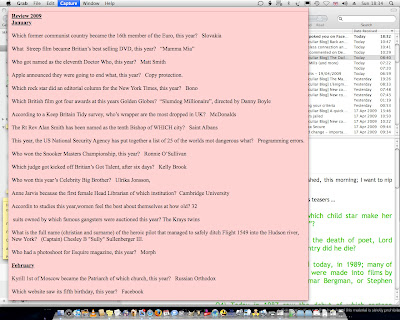
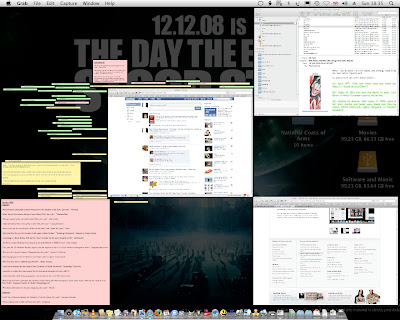
What it does is quite simple; when you’ve lots of application and Finder windows open, as in the first screen shot, you can trigger Exposé – I’ve set the version on my Mini set to trigger when I use the squeezy buttons on my mouse — it’ll bring all the open windows forward, as in the second. You can then click on the window you want to go to.
What surprises me is that a feature that I’ve certainly found very useful is — from the impression I got, today — isn’t so widely used.
At any rate, I’m also going to throw in a quick list of a few keyboard shortcuts I’ve found helpful.
Here …
| CMD (⌘) + O | Open a file, window, or programme |
| CMD (⌘) + N | In the Finder, this opens a new window; as it does in most other programmes. |
| CMD (⌘) + A | Selects all the items in a document, window, or folder. |
| CMD (⌘) + M | Minimise the active Window |
| CMD (⌘) + W | W Close a Window. |
| CMD (⌘) + X | X Cut an objected object, or selected text |
| CMD (⌘) + C | C Copy selected object, or text |
| CMD (⌘) + V | Paste the selected object, or text. (The V looks like scissors blades. That’s what computer geeks call hysterically funny. Sad, isn’t it?) |
| CMD (⌘) + P | Prints the current File. Or takes you to the print menu, at least. From there you can print stuff, or turn it into .pdf format files. |
| CMD (⌘) + , | Gets you into the current programmes Preferences |
| CMD (⌘) + ? | Gets you into the current programmes Help menu. |
| CMD (⌘) + I | Shows you the information window for whatever file or programme you’ve selected. |
| CMD (⌘) + Q | Q Quit a programme |
I also use CMD (⌘), alt (⌥) and esc to force quit a hung programme.
Something else I’ve found helpful is ctrl, alt and the Eject button; it takes me straight through to the Shutdown Menu.
Bloody handy, that.
Anyway, I hope those help.


No comments:
Post a Comment
I love it when people comment. But, having had anonymous comments I feel may be libellous, actionable or just plain offensive, over the years?
I’d appreciate you* leaving your name — with a link to your website or social-media profile†, for preference — before you post a comment.
Should you choose to use a pseudonym/name, I’d appreciate it if that name were to be polite and inoffensive. I’d rather you kept it clean, and relatively adult. Comments left with a pseudonym will be posted at my discretion: I really prefer a link.
Contentious, actionable or abusive posts left anonymously will not be posted. Nor will comments using offensive pseudonyms or language, or that are abusive of other commenters.
If you can also leave you comments on today’s Teaser Video, that would be good.
Thank you.
* I know many value their online privacy. I respect that. But hope you respect my wish to see who’s commenting on my blog: and my wish for you to introduce your self to me, and to your fellow commentors.
† Your Facebook, X/Twitter, Blogger, Instagram, TikTok or LinkedIn profile are acceptable: as are Bluesky or Mastodon links. I also like seeing folks webpages.